Home › Reviews › How to Run Facebook Ads in Nigeria
How to Run Facebook Ads in Nigeria 2026? Cost, VAT, Payment, Step by Step

Most Nigerians who say Facebook ads "don't work" have only ever pressed the Boost button. Boosting spends your money on likes. A proper campaign in Ads Manager spends it on the result you actually want: a message, a sign-up or a sale.
This guide covers how to run Facebook and Instagram ads from Nigeria, including the local details foreign tutorials skip: naira accounts, the 7.5% VAT, paying by bank transfer and phone verification. We run Meta ads for SkillGidi NG ourselves, so every step here comes from doing it.
Ready to learn it properly?
See the 7 Figure Meta Ads Academy →Boosting a Post vs Running Ads in Ads Manager
Boosting is a shortcut inside your Facebook Page. It is quick, but it gives you very little control and usually optimises for engagement. Ads Manager is Meta's full advertising tool, where you choose the goal, audience, placements and tracking.
| Feature | Boost Post | Ads Manager |
|---|---|---|
| Setup time | One minute | 10 to 30 minutes |
| Goal options | Mostly engagement and messages | Sales, leads, traffic, messages, awareness |
| Placement control | Limited | Full: Facebook, Instagram, Reels, Stories and more |
| Tracking sales on a website | No | Yes, with the Meta Pixel |
| Best for | Quick visibility on a single post | Businesses that want measurable results |
How Much Do Facebook Ads Cost in Nigeria?
There is no fixed price. You set a daily or total budget, and Meta charges based on how many people see and act on your ad. Your cost per result depends on your product, your video or image, your audience and competition at that time.
Meta also adds 7.5% VAT on ad spend for advertisers in Nigeria, which has applied since 2022. Plan for it in every budget.
| Planned Ad Spend | 7.5% VAT | Total You Pay |
|---|---|---|
| ₦5,000 | ₦375 | ₦5,375 |
| ₦20,000 | ₦1,500 | ₦21,500 |
| ₦50,000 | ₦3,750 | ₦53,750 |
| ₦100,000 | ₦7,500 | ₦107,500 |
What You Need Before You Start
Set these up a day before you plan to launch. Verification and payment can take time, and launch day is the wrong time to discover a problem.
| Requirement | Why You Need It |
|---|---|
| A Facebook Page for your business | Ads run from a Page, not a personal profile |
| An ad account set to Nigerian naira (NGN) | Avoids dollar card limits; currency cannot be changed later |
| A verified phone number on the ad account | Meta may block ads until it is verified |
| A payment method or prepaid funds | Ads cannot run without it |
| A website with the Meta Pixel (for sales) | Lets Meta find buyers and lets you measure results |
| Two ad videos or images | So you can test which one works better |
You do not need an Instagram account to run ads on Instagram. Meta can show your ads there using your Facebook Page.
How to Run Facebook Ads in Nigeria: Step by Step
Step 1: Create Your Ad Account in Naira
In Meta Business Suite or Ads Manager, create an ad account and choose Nigeria as the country and Nigerian naira as the currency. You cannot change the currency later without opening a new ad account.
A naira account is the simplest option for most Nigerians, because many local cards have limits on dollar payments.
Step 2: Verify Your Phone Number
Meta may ask you to verify a phone number on the ad account before ads can run. Do it now so it does not hold up your first campaign.
Step 3: Add a Payment Method
Nigerian advertisers commonly pay in one of two ways. With a card, Meta charges you as you spend. With prepaid funds, you add money by bank transfer first, and ads spend from that balance and pause when it runs out.
Prepaid funds are useful for controlling spend. Keep an eye on the balance, because a transfer can take some time to reflect, and ads stop when the balance hits zero.
| Payment Option | How It Works | Watch Out For |
|---|---|---|
| Debit or credit card | Charged automatically as ads spend | Card limits on international payments |
| Prepaid funds by bank transfer | You top up first; ads spend from the balance | Ads pause when funds run out; transfers take time to reflect |
Step 4: Install the Meta Pixel on Your Website
If you send people to a website, install the Meta Pixel. It records who visited, who clicked your buy button and who bought. Without it, Meta guesses who to show your ads to, and you cannot see what worked.
Test the pixel before you launch. Ad blockers in your own browser can hide pixel events during testing, so check in a browser without one.
Step 5: Choose the Right Objective
The objective tells Meta what result to look for. Pick the one that matches what you actually want, not the one with the cheapest clicks.
| Objective | What Meta Optimises For | Use It When |
|---|---|---|
| Sales | People likely to buy on your website | You sell online and have the pixel installed |
| Leads | Sign-ups and form submissions | You collect contacts for follow-up |
| Engagement or messages | Comments, likes, WhatsApp or Messenger chats | You close sales in chat |
| Traffic | Clicks to a website | You need visits, not purchases |
| Awareness | Reach and video views | You want people to know your brand |
Step 6: Set Your Audience and Placements
For a Nigerian product, start with the cities where your buyers live, a sensible age range, and broad targeting within that. Very narrow interest targeting often makes ads more expensive, not cheaper.
Review your placements. Remove any where your ad does not fit, and make sure your video works in the formats you keep, such as Feeds and Reels.
7 Figure Meta Ads Academy
by Victory Odemwingie
Learn to run Meta ads for businesses and get paid as a media buyer.
- Campaign setup and targeting
- Creative and copy testing
- Reporting to clients

Facebook Ads Made Easy Program
by Emmanuel Adiotu
Facebook and Instagram ads for small businesses, from pixel to profitable campaign.
- Business Manager and pixel setup
- Audience and budget rules
- Scaling what works
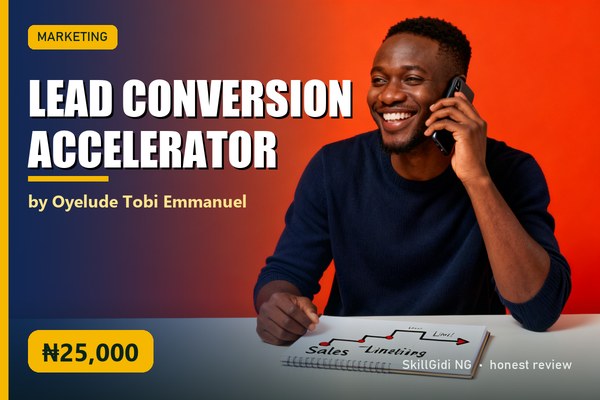
Lead Conversion Accelerator
by Oyelude Tobi Emmanuel
Turning leads into customers: follow-up systems, WhatsApp and email sequences, closing calls.
- Follow-up sequences
- Objection handling scripts
- Simple CRM setup
Step 7: Upload Your Creative and Ad Text
Your video or image decides most of your result. Short videos that open with a clear, relatable line usually beat polished but vague ones. Keep the text simple and say what the person gets.
Turn off automatic creative changes you have not reviewed, so Meta does not add effects or edit your text without your approval.
Step 8: Set a Budget and Give It Time
Start with a daily budget you can afford while you learn. Meta needs a few days to learn who responds to your ad, and editing every few hours resets that learning.
A practical rule is to run each ad for three to four days before judging it, unless it is clearly broken. Then turn off the weaker ads and move budget to the stronger ones.
Why Facebook Ads Get Rejected in Nigeria
Meta reviews every ad before it runs. Ads are commonly rejected for income promises such as "make ₦500k a month", before-and-after claims, using other people's photos or celebrity faces without permission, and misleading buttons or fake urgency.
Keep claims honest and specific to what you sell. If an ad is rejected, read the reason in Account Quality, fix the issue and request a review.
Should You Learn Facebook Ads from a Course?
You can learn the basics free from Meta's Blueprint courses and YouTube. A course is worth it when you want a structured system for testing, scaling and fixing ads, taught by someone who runs ads for Nigerian businesses.
Choose a course that shows its modules and offers a refund window. Our list of online skills Nigerians can learn in 2026 compares media buying with other skills, and our checklist on how to choose an online course in Nigeria covers what to check before you pay.
Frequently Asked Questions
How much does it cost to run Facebook ads in Nigeria?
You choose your own budget, and many beginners start with ₦2,000 to ₦5,000 a day. Meta adds 7.5% VAT for Nigerian advertisers, so ₦5,000 of ad spend costs ₦5,375 in total.
How do I pay for Facebook ads in Nigeria?
You can pay with a debit or credit card, or add prepaid funds to your ad account by bank transfer where that option is shown in your billing settings. A naira ad account avoids most dollar card limits.
Why is VAT added to my Facebook ads?
Meta charges 7.5% VAT on advertising for advertisers in Nigeria, in line with Nigerian tax law. If your business is VAT-registered, you can add your tax ID in your billing settings so it appears on receipts.
Do I need an Instagram account to run Instagram ads?
No. Meta can show your ads on Instagram using your Facebook Page, even if you do not have an Instagram account.
Is there a free Facebook ads course in Nigeria?
Meta offers free training through Meta Blueprint, and many creators share free tutorials on YouTube. Paid courses add a structured system, examples from the Nigerian market and support.
Why are my Facebook ads not delivering?
Common reasons include an unverified phone number, a failed payment or empty prepaid balance, an ad still in review, or a rejected ad. Check the delivery column and Account Quality in Ads Manager for the exact reason.
Conclusion: Set Up Properly, Then Test Patiently
Running Facebook ads from Nigeria comes down to a correct setup and patient testing. Open a naira ad account, verify your phone, plan for 7.5% VAT, install the pixel and pick the objective that matches your goal.
Then test two different ads, give them a few days, and keep the one that brings cheaper results. SkillGidi NG reviews Facebook ads courses taught by Nigerians who run ads for real businesses, so you can compare content, price and refund terms in one place.
Ready to learn it properly?
See the 7 Figure Meta Ads Academy →